

Mouse gestures for everyday actions
Hold the right mouse button, draw and release: save, undo, search, switch Focus writing and fold media. The help shows each gesture with its starting point and direction.

(CMS) web design (with TYPO3, WordPress, Django CMS, Silverstripe, Statamic)
App development for web and desktop, including client–server applications
Individual solutions with an eye for the little things
tinyAuthor · Your writing workspace for Windows
For your presentation. Your term paper. Your first story.
And for that sentence you cannot get out of your head.
tinyAuthor brings your text, sources and ideas together. Clear, local on your computer, with room for what matters most: your words. Free for you. You bring the big ideas.
Windows application · Write without an account · Save projects locally
Fewer distractions. More joy in writing.
tinyAuthor is a small, straightforward companion for school pupils, students and anyone who enjoys writing. You provide the spark. We clear some space on your desk.
New in version 0.2.4
Gestures, media and language: what is new at a glance.
Hold the right mouse button, draw and release: save, undo, search, switch Focus writing and fold media. The help shows each gesture with its starting point and direction.
Resize, rotate, flip and crop images. Play audio and video inline. Previews load as you scroll, and media placeholders reserve space while you write in focus mode.
H1–H5 headings, foldable sections, chapter-tree navigation links and visible break marks. Revision reminders have their own tab beside the text.
The interface, help and detailed example projects are available in German and English. Download and verify updates in the app, then save and restart to switch to the new program file.
From a blank page to your finished text
Create chapters and subchapters, drag them into place and keep your outline in view. Chapter notes stay beside the text.
Focus writing hides the side panes. Writing, saving and formatting tools remain within reach. Press Esc to return.
Set a word goal for each chapter. The indicator grows with your text and greets you with “Goal reached!” when you get there.
“Source needed”, “Check later” and “Expand later” keep excerpts ready for revision. Add a note, mark them done and jump back to the passage.
Presentation, Term paper and Short story templates provide an outline and guidance in the chapter notes. Change everything and save your own templates.
Everything that helps your text grow
Collect notes, excerpts and source details on coloured research cards. Assign them to chapters, move them on the board and attach files with their own descriptions.
The list and board use the same cards, so your collection stays together when you change perspective.
Enter books, articles and websites or import references from Zotero using RIS and BibTeX. Linked citations and the bibliography follow your source details.
With author–year, numbered citations and APA 7 in German and English. The preview helps you review your references; check any specific university requirements yourself.
Your writing workspace
Real tinyAuthor views with fictional example data. Click an image to enlarge it.
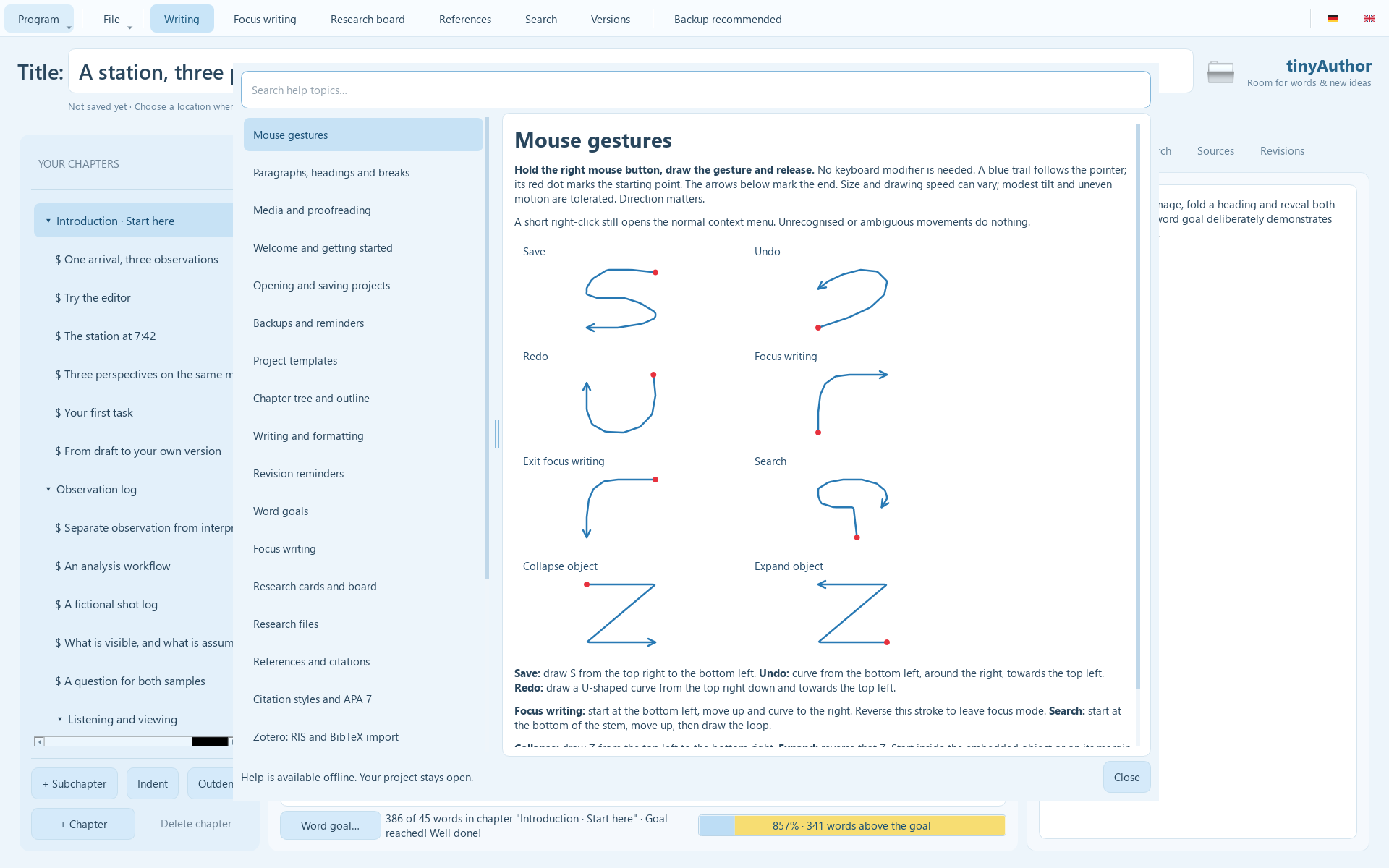
The illustrated guide shows all eight gestures with their starting points and directions.
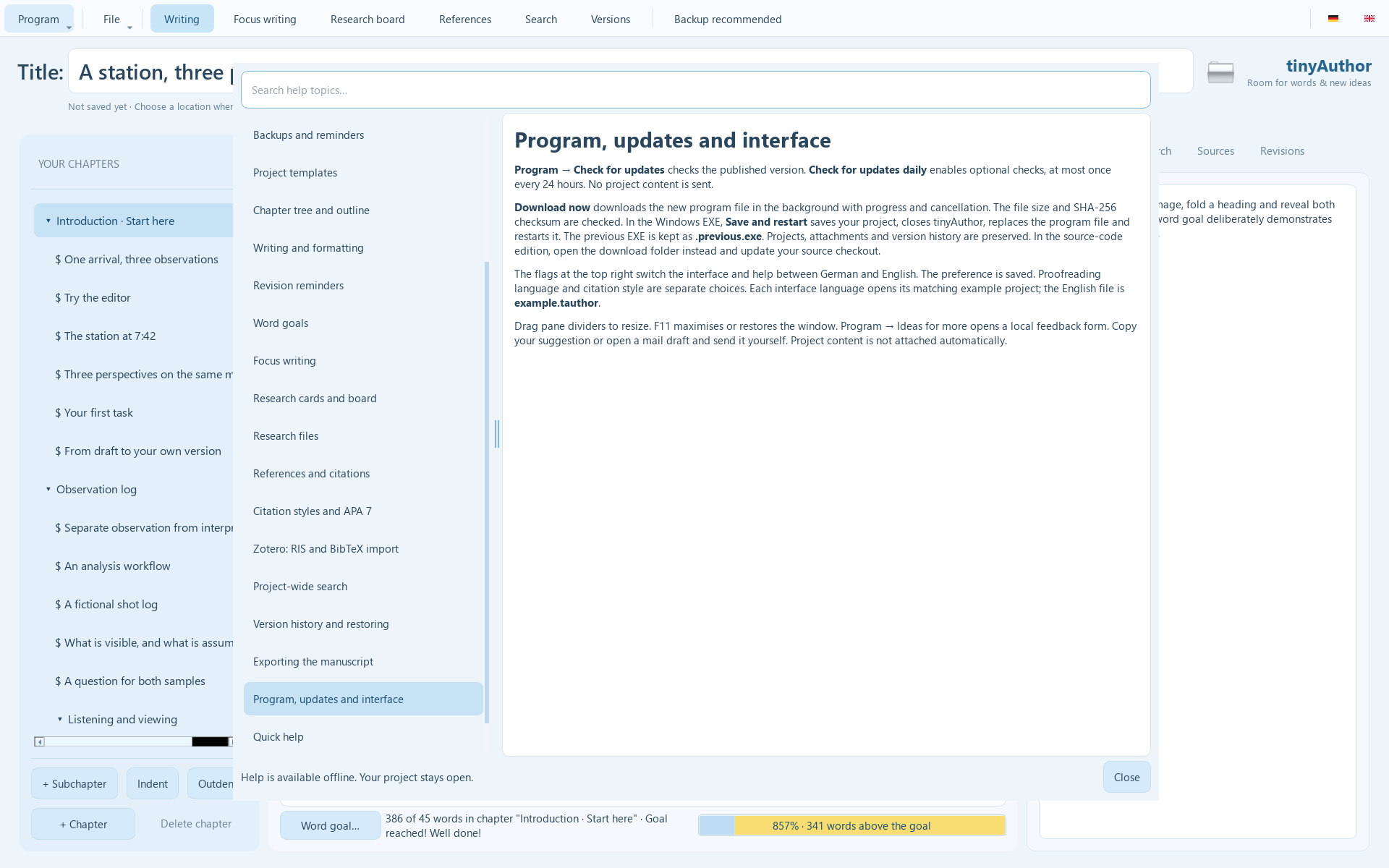
The program help explains the features and the new update workflow in German or English.
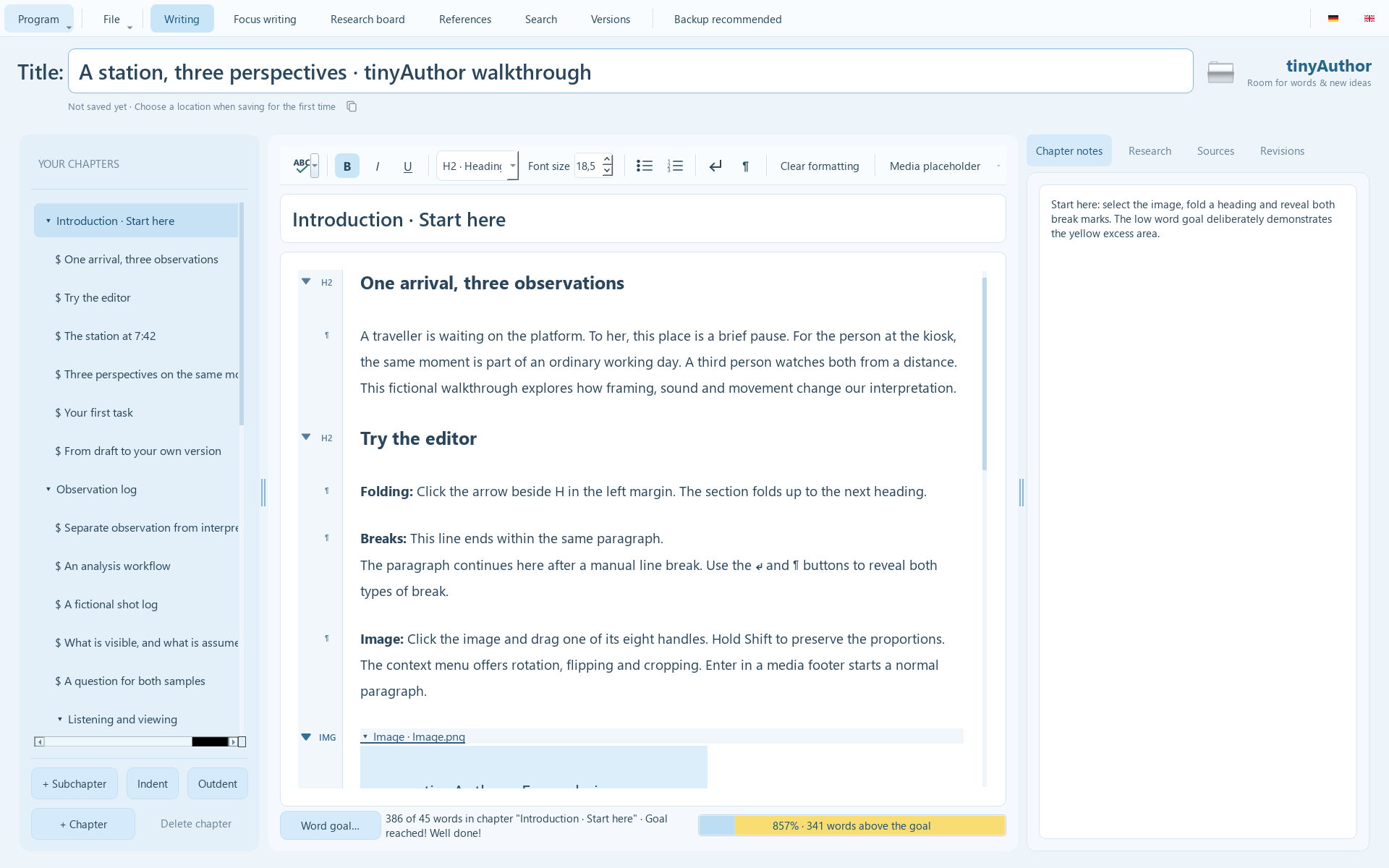
Keep your manuscript, chapter outline, notes and word goal in view.
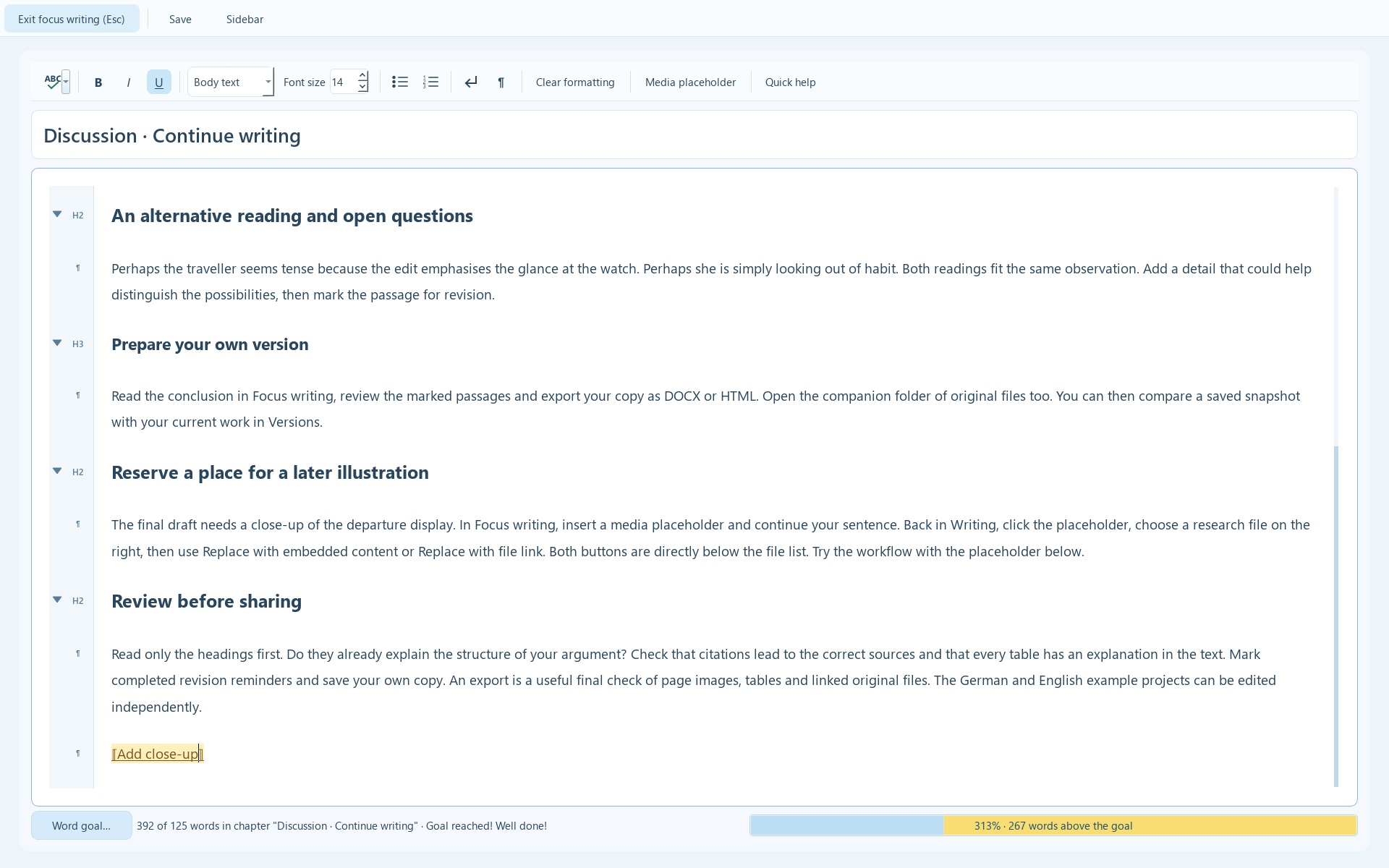
Concentrate on writing and reserve a place for an illustration to add later.
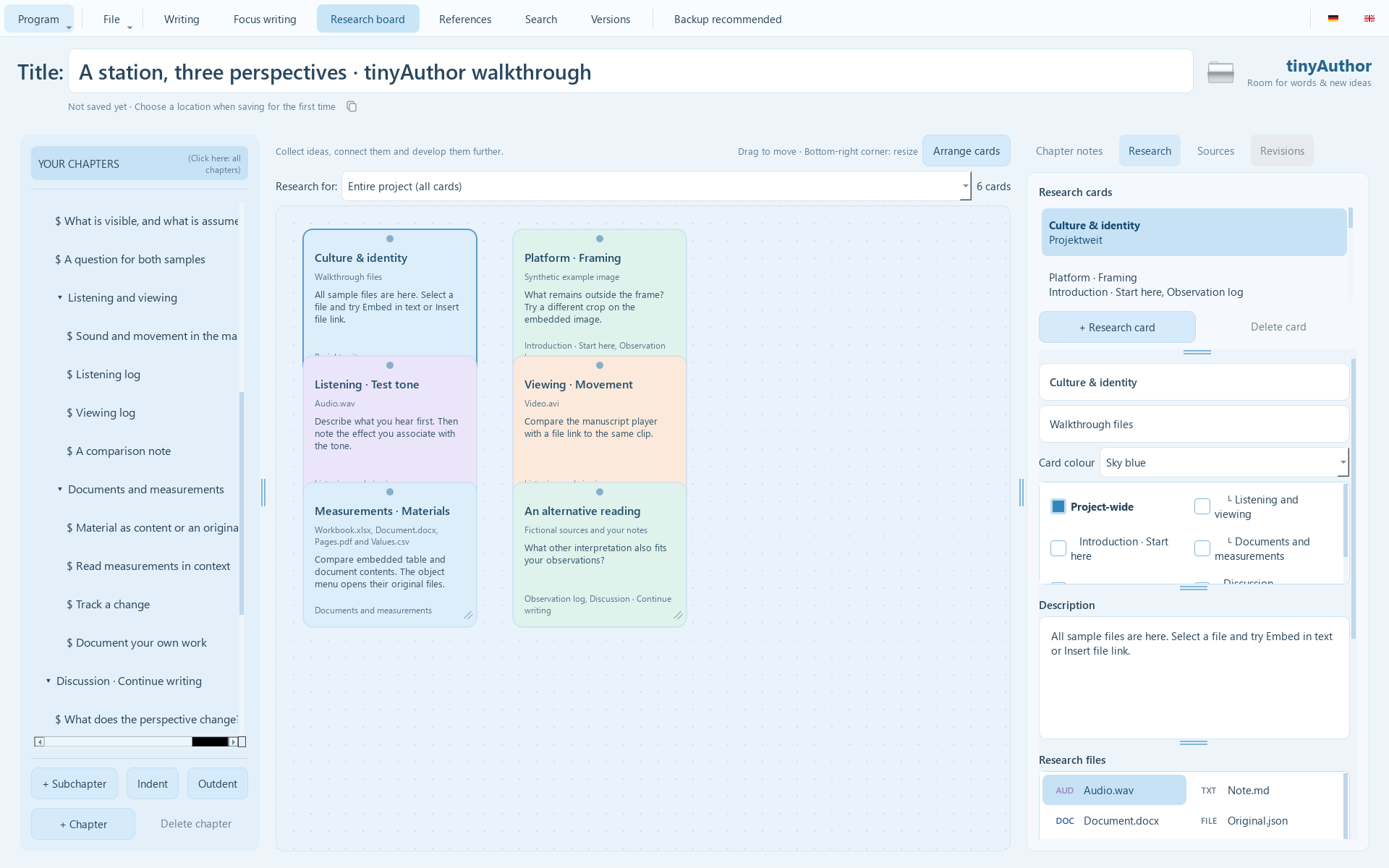
Coloured cards connect ideas, materials and chapters.
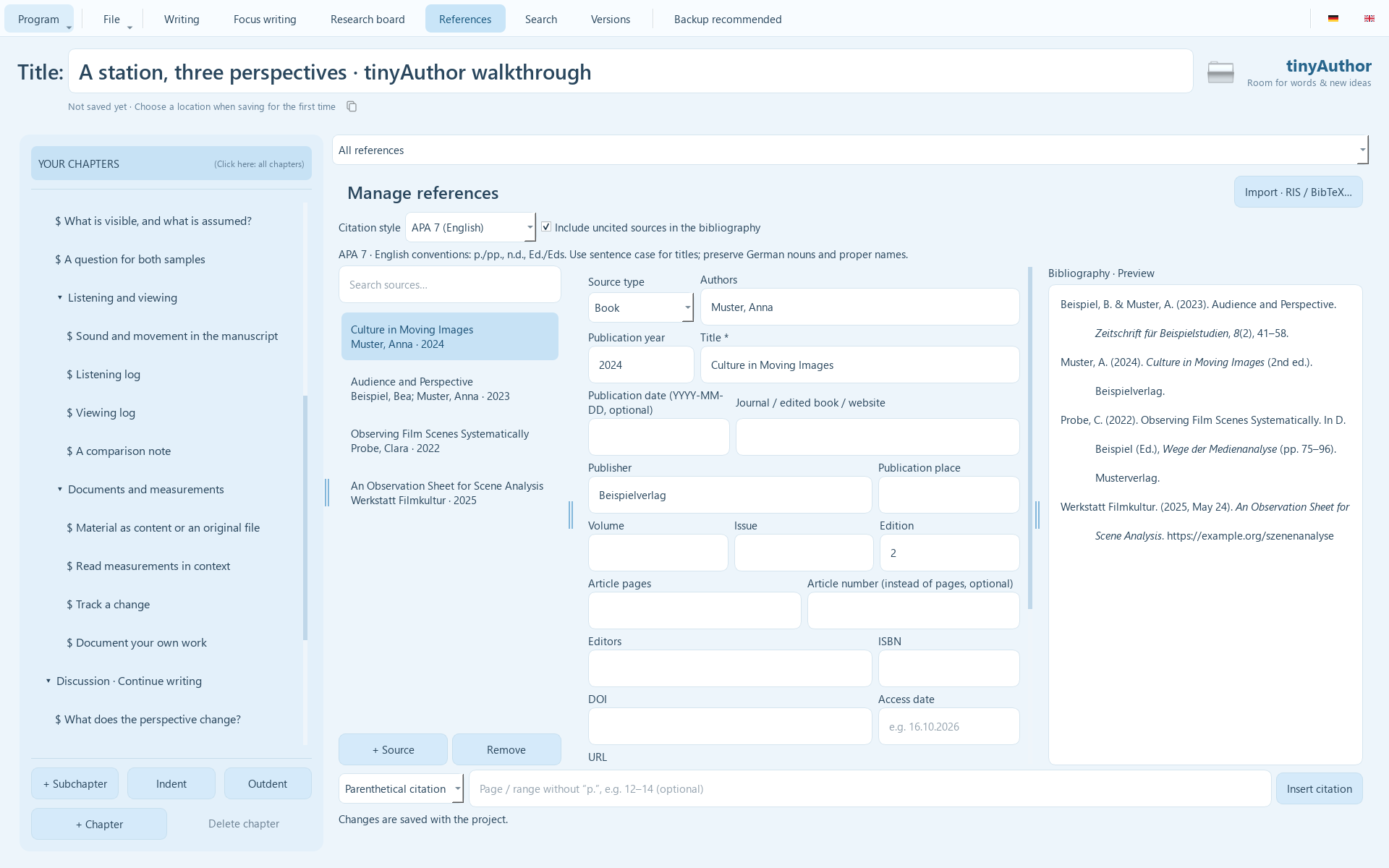
Fictional sources demonstrate reference management and the bibliography preview.
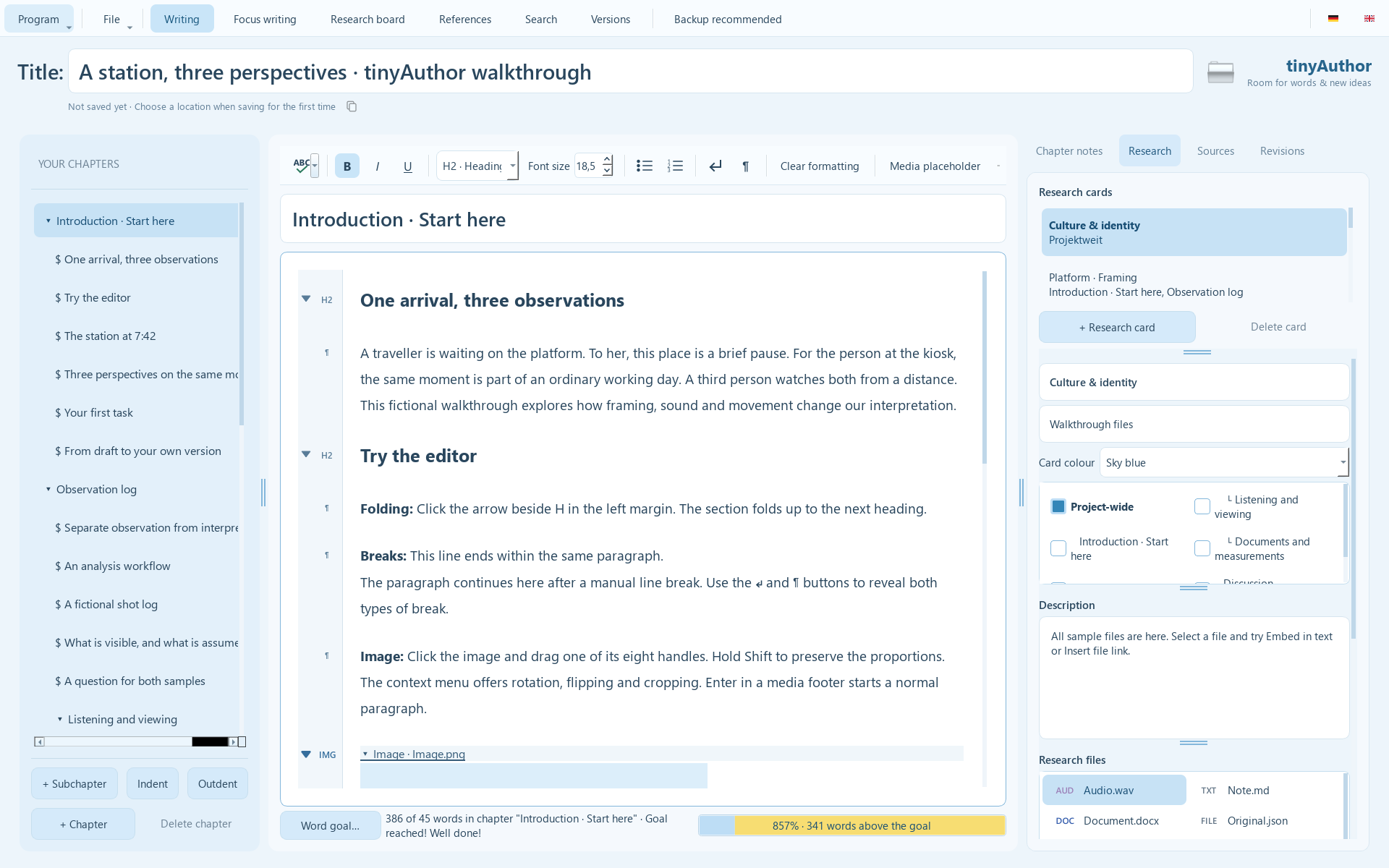
Select images, audio, video and documents from your research while writing.
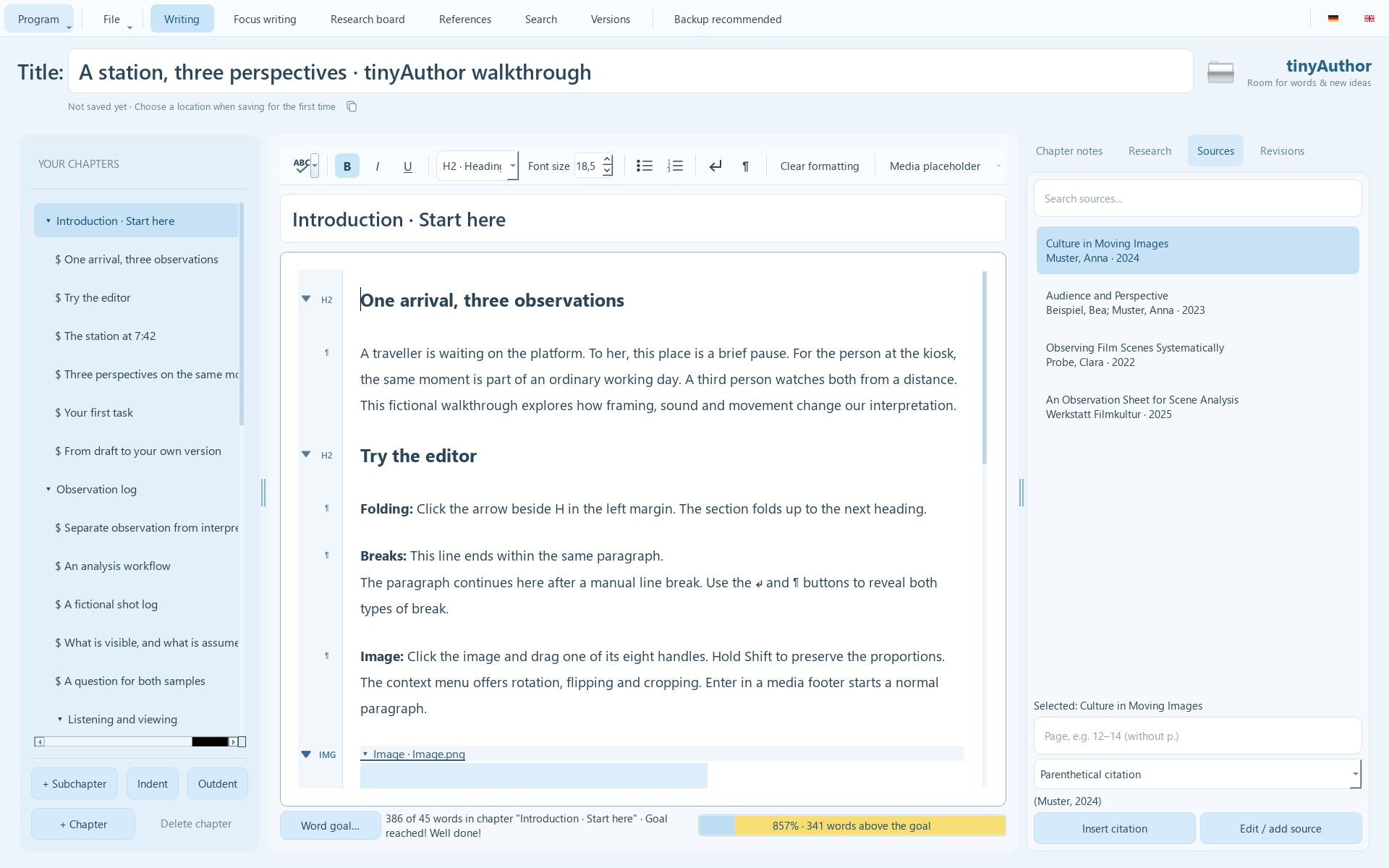
Keep relevant sources beside the manuscript, ready to cite.
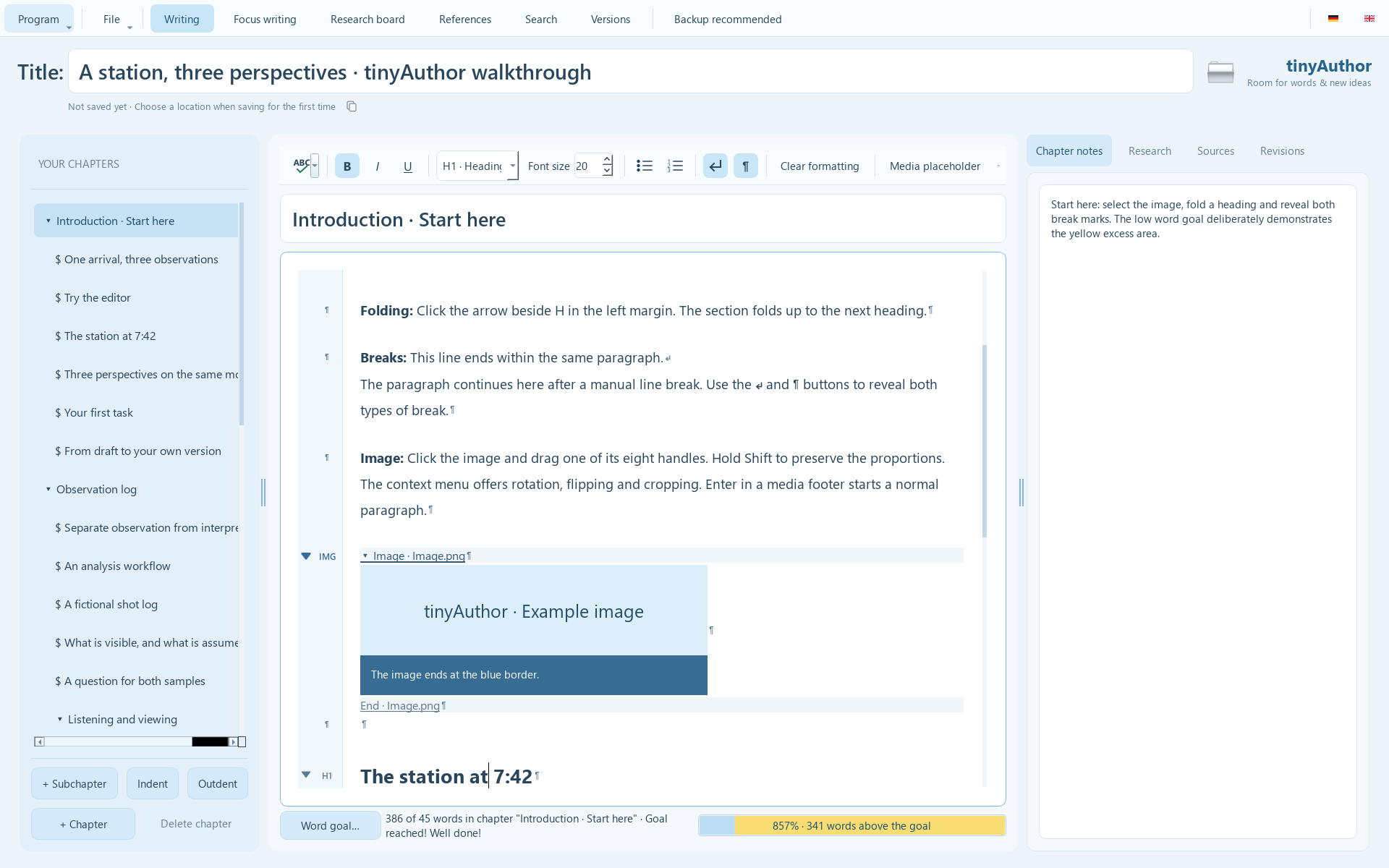
Heading levels, navigation links and visible paragraph marks help you find your way.
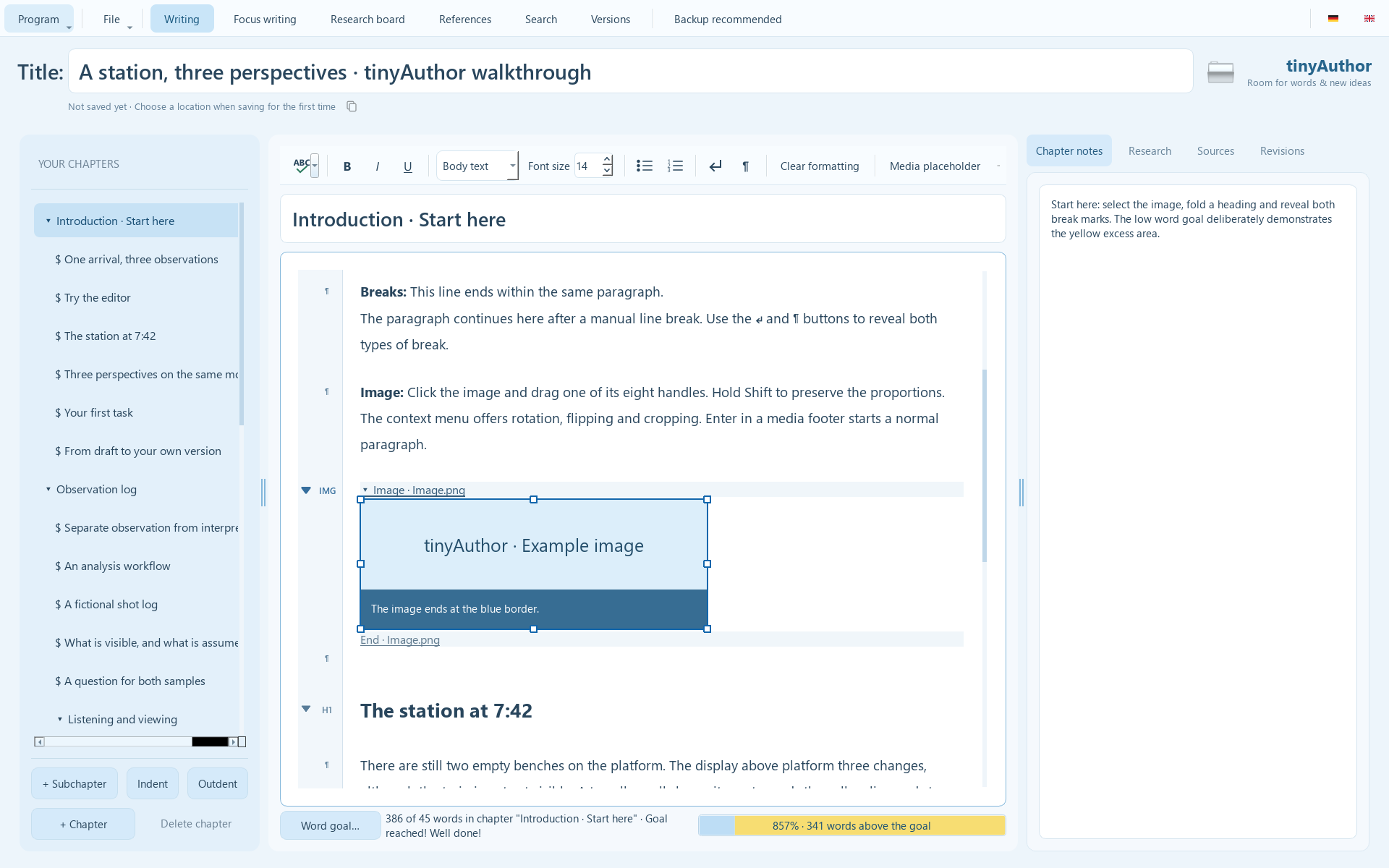
A selection frame with eight handles lets you resize images directly.
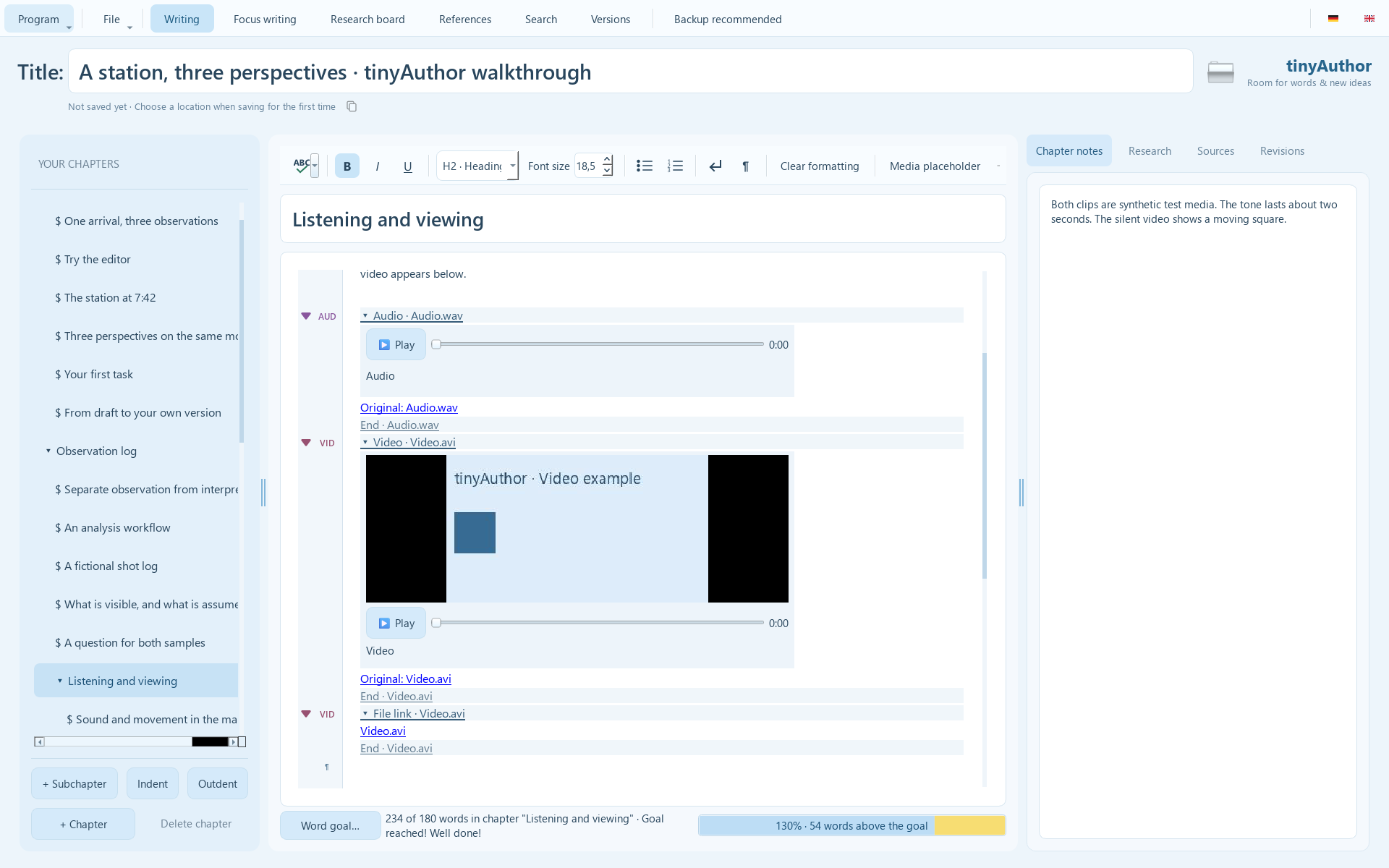
Play the embedded example files directly inside your manuscript.
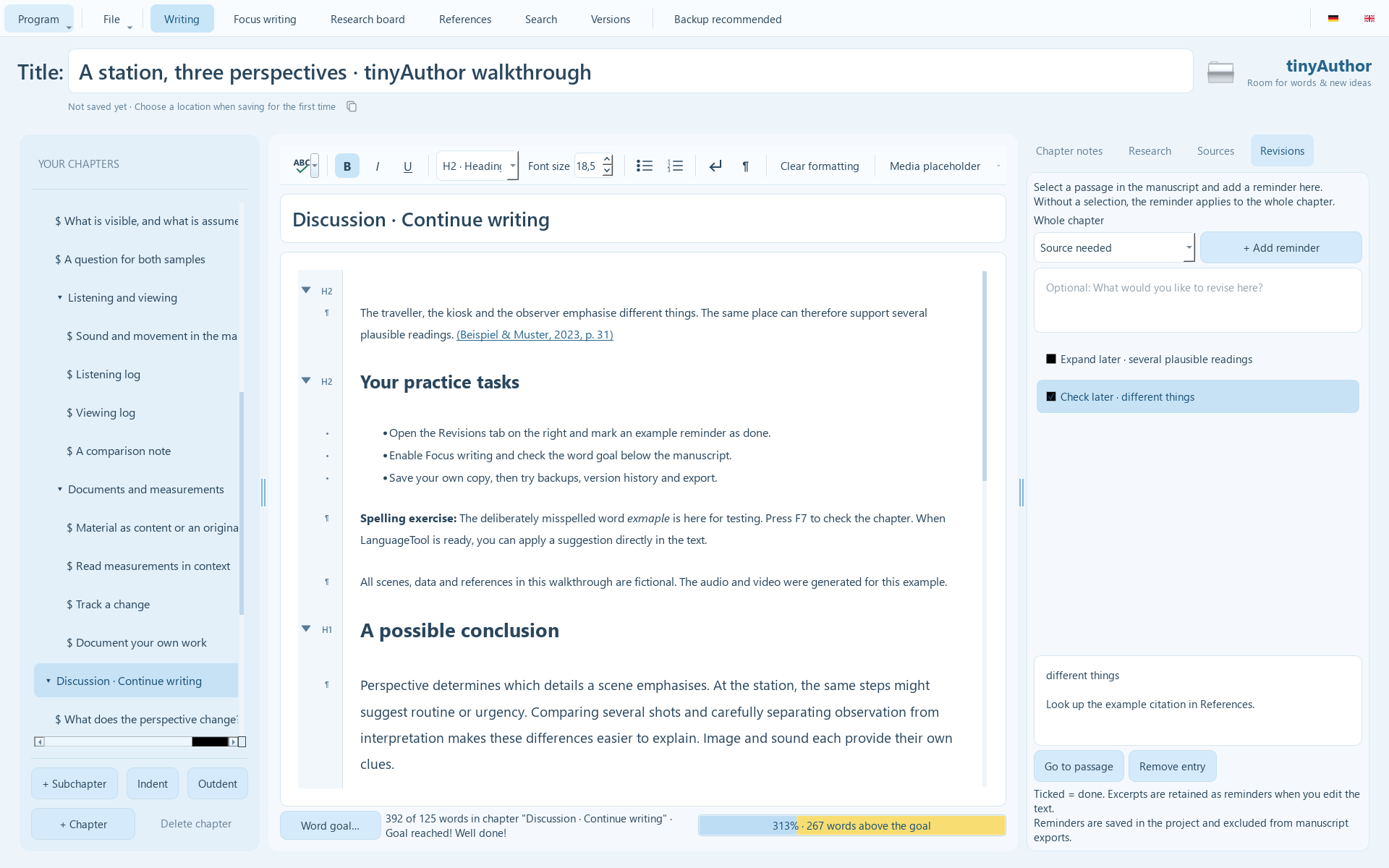
Keep marked passages, comments and completed tasks visible in the Revisions tab.
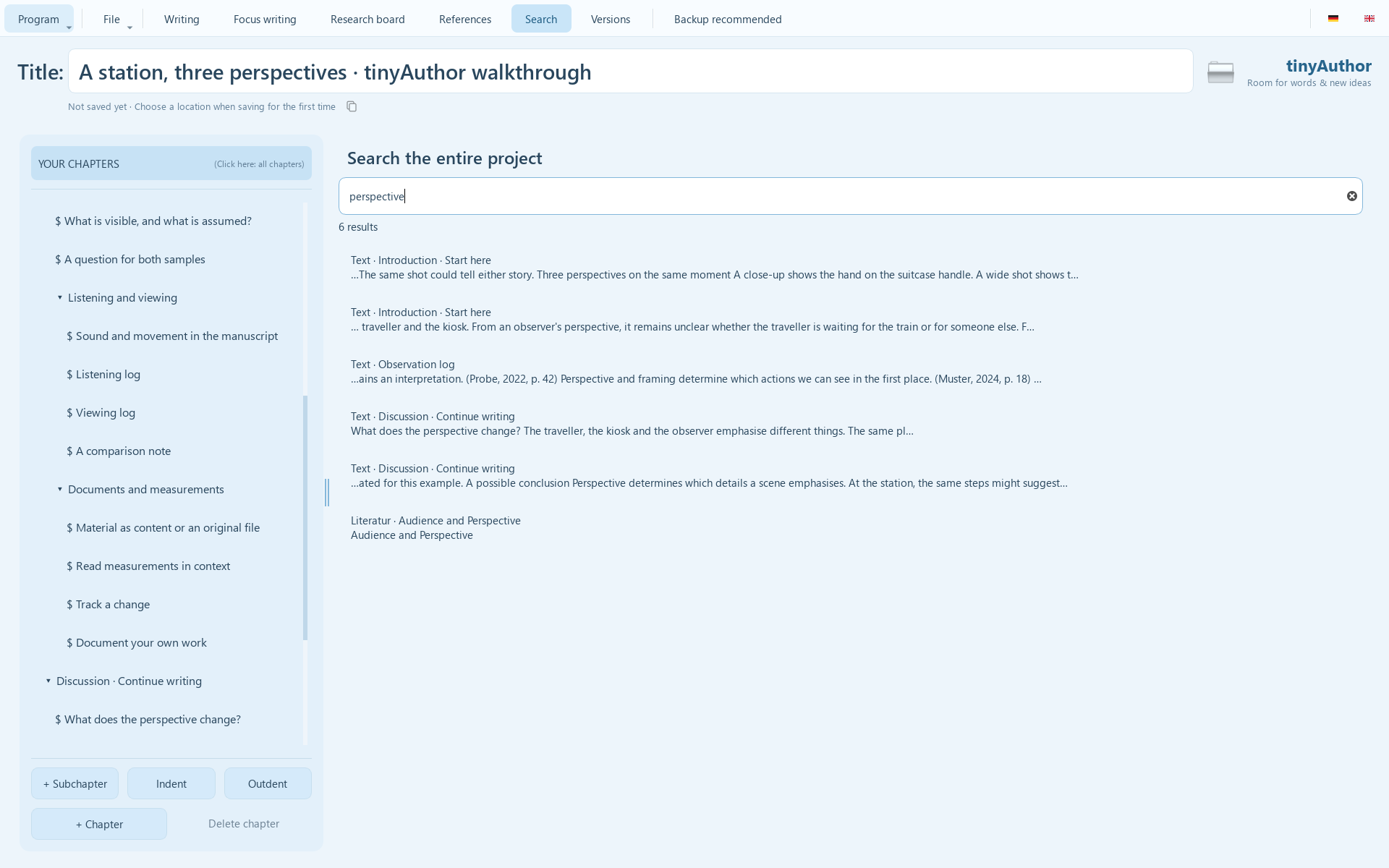
Find passages and research material across your project.
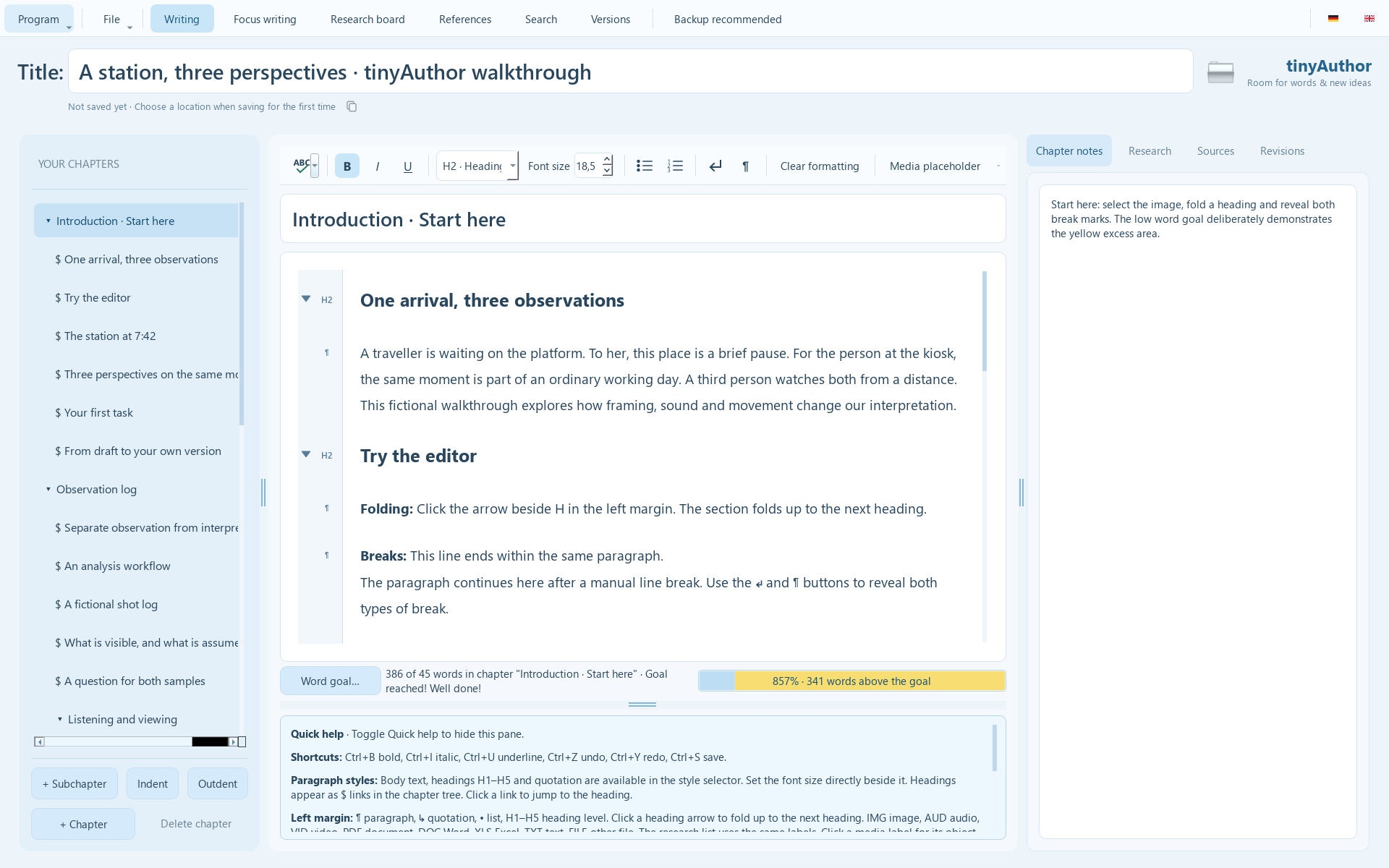
The writing helper offers prompts directly beneath your manuscript.
Your work stays yours
After your first save, tinyAuthor saves changes after a short delay. A .bak file keeps the previous version.
The version history shows earlier project snapshots. The current version is saved before a restore.
One click creates a ZIP containing the current project and its available history. Backup reminders help you keep extra copies, preferably on a different drive.
Ready to share? Export your manuscript as a Word document, HTML or plain text. Notes and research material stay in the project.
Your next sentence is waiting
The download is free. You will have to write the first sentence yourself.
Windows version: 0.2.4.
Download tinyAuthor.exeDirectly from the shared BINLAB download area. No account required.
No sales by third parties: Selling tinyAuthor requires prior written permission from the rights holder. Downloading does not grant redistribution rights.
Installing an update: Save your project, exit tinyAuthor, back up the existing EXE and your projects, then replace the EXE. Keep your project files and version history.
Quick questions
Microsoft Defender SmartScreen warns about downloads whose file or publisher is not yet sufficiently recognised. The message alone neither proves malware nor guarantees safety. If you deliberately downloaded tinyAuthor from the official BINLAB download area and trust the file, you can continue via “More info” and “Run anyway”. If the message is already expanded, choose “Run anyway”. Managed computers may block this option.
A digital signature with a verified publisher identity can help future releases, although new signed versions may still trigger a warning initially. Keep SmartScreen enabled.
No. Projects are edited and saved locally. Downloads and optional update checks need a connection. Ideas can be handed to your email application as drafts.
No. Reference management helps at school and university, but short stories are welcome too. Chapters, research cards, templates and Focus writing work for any subject.
Yes. Create a project with your preferred structure and choose “File → Save as template…”. Load an independent copy later via “New from template…”. Custom templates contain all current project content; remove personal information before sharing.
tinyAuthor exports your manuscript as .docx. Continue editing in tinyAuthor using your .tauthor project file. Re-importing an edited Word manuscript as a full tinyAuthor project is not supported.
The current Windows version does not automatically upload your projects. Embedded research files belong to your local project. Optional update checks send no project content.
Not yet. Encrypted synchronisation, Android for tablets and later phones, and a self-hosted online editor are planned. A licensing system with basic/trial and full versions is also planned. These features are not part of the current download.
No. A history on the same drive cannot protect against drive failure. Use Backup as well, preferably on a different drive.
A little companion can keep learning
An idea, an obstacle or a wish? Use “Program → Share an idea…” or write to us directly. Your email application opens a draft for you to send.
Fonts and images are hosted locally. Only with your voluntary consent do we load Matomo from analytics.binlab.de to analyse page views, navigation paths and interactions. Matomo tracking cookies are disabled. No Matomo requests are sent without consent. Your choice is stored locally in your browser for 180 days; if storage is blocked, it applies only to this page. Use Privacy settings at any time to decline or withdraw consent. Withdrawal prevents further collection but does not automatically delete previously transmitted data. When you visit or download, the web server processes the connection data needed to fulfil the request; logging depends on the server configuration.
Email links open your email application. Your message is transmitted through your email provider only when you send it there. This website does not request or upload project content.
© 2026 Andreas Dahms / BINLAB information technology engineering.
tinyAuthor – Room for words & new ideas.